Wireframes for Business Analysts: A Practical Beginner’s Guide
A wireframe is a simple outline of a screen or page. For a business analyst, it can make a conversation about user tasks and information clearer, while keeping attention on structure rather than visual styling.
What a wireframe can show
A wireframe is a two-dimensional sketch of a digital screen. It may show where information, fields, buttons and messages could appear, without deciding the final colours, typography or graphics. Think of it as a prompt for discussion, not a picture of the finished product.
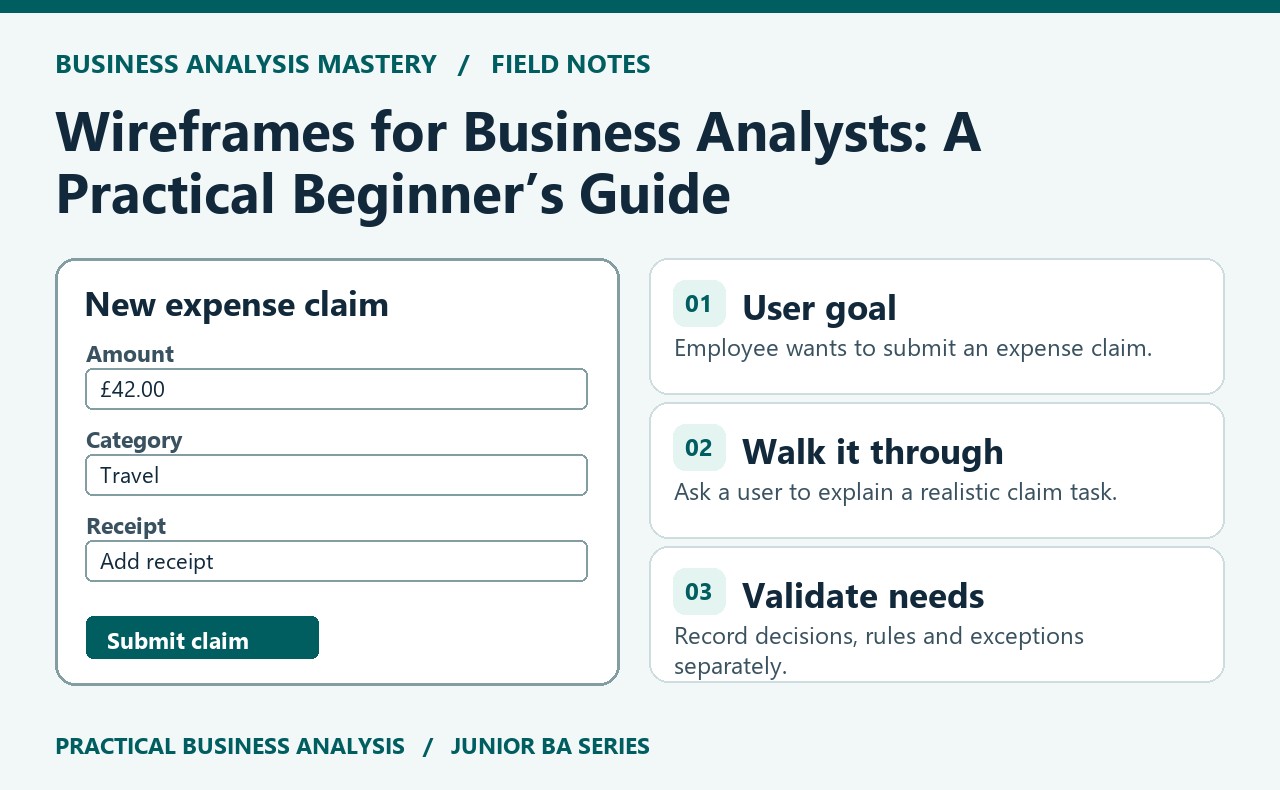
For example, a team exploring an expense claim service might sketch a screen with an amount field, a receipt upload, a cost category and a submit action. That outline helps people discuss what an employee needs to provide and what should happen next. It does not, on its own, confirm the business rules or prove that the layout works for every user.
Use it to explore a task
Begin with a user and a goal. An employee wants to submit a claim; a manager wants to review claims that need a decision. Ask what information each person needs at each point. Then sketch only enough structure to make those questions visible: which fields are required, what guidance appears, and how the person knows the action succeeded.
Keep notes beside the sketch. Mark assumptions with a question, such as “Is a receipt always required?” Record decisions separately from ideas. If someone suggests a button or an extra field, ask what need it serves and what should happen in the less common cases. This prevents the wireframe from quietly turning into an unvalidated feature list.
Start low fidelity and invite feedback
A rough paper sketch or plain digital boxes are often enough at the beginning. Low-fidelity wireframes are quick to change, so you can compare options without implying that visual design is settled. Share the draft with people who understand the process and, where possible, representative users. Ask them to talk through a realistic task rather than simply asking whether they like the screen.
For instance, ask an employee to explain how they would submit a £42 travel claim with a receipt. Notice where they hesitate, what information they expect and whether the next action is clear. Ask the manager how they would find claims awaiting approval. Capture observations and questions; do not treat one person’s reaction as universal proof.
Connect the sketch to requirements
A wireframe can support analysis by making a proposed interaction easier to discuss. Translate validated needs into clear statements and rules, then check that the sketch represents them accurately. If claims over a defined threshold require approval, show how the user can provide the necessary information and how the process moves to review. Keep exceptions visible, such as a missing receipt or an unavailable approver.
More detailed wireframes may be useful later when the team needs to review a particular interaction, but increasing visual detail does not replace validation. Agree who owns decisions about content, accessibility and interface design, and update the sketch when evidence changes. The Requirements Writing course covers how to turn analysis into structured requirements the delivery team can review.